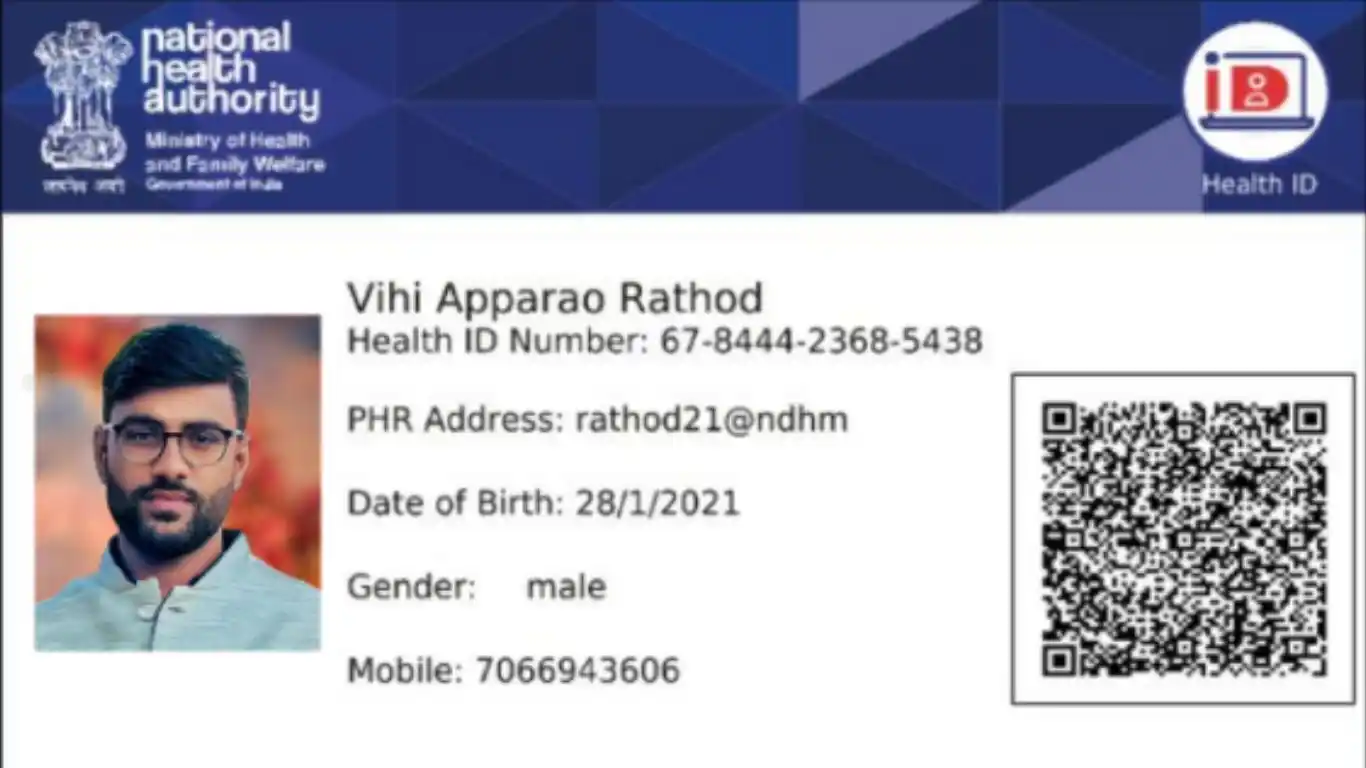
A Comprehensive Guide on How to Download the ABHA Card
Health is the most vital component and quality healthcare is therefore the most important factor for anyone. The Ayushman Bharat Health account (ABHA) card is a powerful tool that grants access to a unified platform to all the registered individuals where they can store, manage and share their health records and that too all digitally.
The ABHA card gives a unique 14 digits identity to all individuals. After registering with this ABHA card it becomes convenient for the individuals to interact with the participating healthcare providers. It enables a strong and trustable identity for an individual that will be accepted by both the healthcare providers and the payers; across the country. It also empowers an individual to access prescriptions, lab reports and diagnosis reports on a digital platform
More than 65+ crore ABHA IDs have been created under this program till 30 July.
Step by Step Process to Download Your ABHA Health Card
Once you complete the process of creating/ registering for ABHA health card on the website, your ABHA health card can now be downloaded through the website or the mobile application.
For Registered Members
You can download your already created ABHA card either by your ABHA number or by your mobile number.
If you choose ‘Mobile number’. Follow the below mentioned to download your ABHA card:
Step 1: Open https://dawaadost.com/abha
Step 2: Enter your mobile number and the captcha.
Step 3: Enter the OTP sent to your registered mobile number. You can now view your ABHA card.
Step 4: Click on View Profile and you can then download your ABHA card.
If you choose ‘ABHA number’. Follow the below mentioned to download your ABHA card:
Step 1: Open https://abha.abdm.gov.in/abha/v3/login
Step 2: Enter your 14 digit ABHA number and the captcha
Step 3: Choose where you wish to get an OTP
i) On the mobile number linked with Aadhaar
ii) On the mobile number linked with ABHA
Step 4: Enter the OTP received and click ‘Next’
Step 5: You can now download your ABHA card.
Download your ABHA card using Mobile app:
Download the ABHA mobile app store . If you don't have the app, Android users can download it from the Play Store. On the app, log in to your ABHA account, using your credentials and download your ABHA card.
For Unregistered Members
If you have not yet created your ABHA ID. You will first need to complete the registration and then download your ABHA card.
Registering for the ABHA Health Card is a simple process!
Using Aadhar Card: To create your ABHA ID click on the link: open https://dawaadost.com/abha and follow the below mentioned 2 steps:
Step 1: Enter your Aadhaar verified mobile number
Step 2: Enter the OTP, sent to the registered mobile number
Step 3: Click ‘No’ option once pop up shows
Step 4: Enter your Aadhaar number and fill the option
Please ensure that your Mobile Number is linked to your Aadhaar, as an OTP authentication will follow. If you do not have a mobile number linked, visit the nearest ABDM participating facility and seek assistance.
Using Driving License: You can initiate the request for your ABHA number using Driving License too by following these 5 steps:
Step 1: Open https://abha.abdm.gov.in/abha/v3/login
Step 2: Enter your phone number and agree to the terms and conditions.
Step 3: Enter the Captcha code and click ‘Next’.
Step 4: Enter the OTP received on your registered mobile number.
Step 5: Now, enter your personal details like name, driving license number, gender, date of birth, address, district, state, PIN Code, etc.
Step 6: Add an image of your driving license and your ABHA number will be generated.
However, you will only be able to obtain an Enrolment Number on the portal. You will be required to visit the nearest ABDM participating facility with your Driving Licence to get your identity verified by the facility staff in order to obtain the ABHA Health Card.
Once registered, you can download your ABHA card using the website and mobile app using the same steps as under ‘Registered Users’.
Frequently Asked Questions
1. How to carry a downloaded ABHA health card?
You can download and save the pdf on your mobile. All you need to do is download the ABHA app using Play Store or App Store. Login to the app, click on ‘View Health Card’ and download your ABHA card. Save it in your phone itself for future reference.
2. How can I check my ABHA details, in case I misplace my ABHA card?
You can login to the official website https://abha.abdm.gov.in/abha/v3/login. Fill in the required details and retrieve your ABHA card.
3. What to do after getting the ABHA card?
The ABHA card helps to view registered medical professionals in the Healthcare Professional Registry (HPR).
4. Is the ABHA health card good?
ABHA card ensures that all health providers comply with the rules and stay transparent to the charges levied on to the patients.
5. Is ABHA card registration free?
Yes. ABHA card registration is completely free. There are no hidden charges or taxes.




 0
0